
A 7-step guide, from idea to the app stores, with the best no-code app builders, real costs, and timelines compared.
Quick answer: You can make an app without writing a single line of code by using a no-code app builder — a visual, drag-and-drop tool that compiles your design into a real iOS app, Android app, and Progressive Web App (PWA). A simple app takes about 3–7 days; a medium-complexity app, 2–4 weeks. The process is seven steps: (1) define your app idea, (2) choose native or PWA, (3) select a no-code platform, (4) build it in the drag-and-drop editor, (5) test on real iOS and Android devices, (6) publish to the App Store and Google Play, and (7) update based on user feedback. Expect about $25–$500/month for the builder — versus 6–12+ months and $50k–$500k+ to build the same app with custom code.
To create a mobile app, you need an original project, expertise, time and above all, good reasons. We have found at least 5 reasons that can motivate you to create an app:
- Improve brand visibility and reputation
- Offer specific "ad-hoc" features to your customers
- Generate interactions tailored to your business needs
- Take advantage of the ubiquity of mobile phones
- Improve speed and quality of interactions for your users
Whether you want to create an app to complement your website, reach a new audience for your business or just think you have a great idea for a new app, in this article we will explore each step to make a phone app from scratch, throughout the app building process: from your app idea, through the stores publishing to the maintenance of your app, you will get an easy guide for beginners who want know how to start an app for the first time.
How to make an app at a glance
| Build method | Best for | Cost | Time to launch | Coding needed |
|---|---|---|---|---|
| No-code / AI app builder | Beginners, founders, "citizen developers", content & commerce apps | ~$25–$500 / month | 3 days – 4 weeks | None |
| DIY coding | Experienced developers, people learning to code | Free – $5,000 | 6–12+ months | Yes (Swift/Kotlin) |
| Hiring a developer or agency | Complex, custom logic (games, large marketplaces) | $50k – $500k+ | 3–9 months | No (you brief it) |
For most people — especially non-developers — the no-code route wins on speed, cost, and risk. The rest of this guide focuses on how to make an app without coding, then covers the coding and agency routes for the projects that need them.
The no-code market in 2026: why this approach is mainstream
No-code is no longer a niche workaround — it's how a growing share of all software gets built. According to Gartner, by 2026 low-code and no-code technologies will be used in roughly 75% of new application development, and about 80% of these tools' users now sit outside traditional IT departments (citizen developers), up from 60% in 2021. Gartner values the broader low-code development market at around $44.5 billion in 2026.
Looking further out, the no-code/low-code platform market is forecast to reach $187 billion by 2030, growing at a compound annual rate above 30%. The takeaway for anyone asking "should I build my app without code?" is simple: the tools are mature, widely adopted, and backed by serious investment. (Sources are linked at the end of this guide.)
How to create an app without coding - 7 steps guide for beginners
7 simple tips to create your own app:
- Step 1 — Define your app idea
Step 2 — Choose a native app or a PWA
- Step 3 — Select a no-code platform
- Step 4 — Build your app using the drag-and-drop visual editor (No-Code)
- Step 5 — Test on real iOS and Android devices
- Step 6 — Publish to the app stores
- Step 7 — Update and iterate
Step 1 — Define your app idea
In short: before opening any tool, define what problem your app solves, for whom, and sketch the main screens.
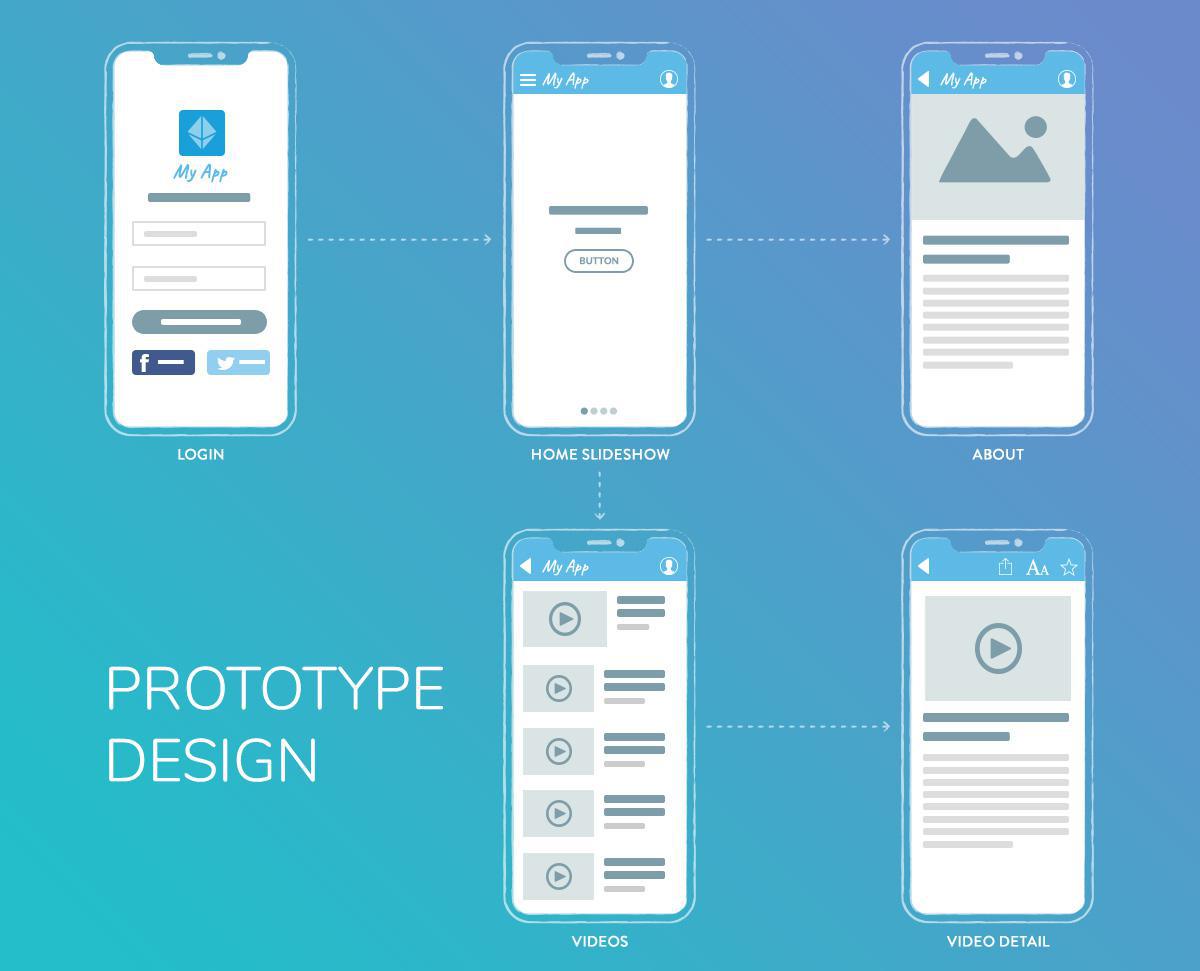
Every successful development process begins with scoping boundaries. Instead of trying to build a fully featured platform on day one, isolate a single core problem for your user base. Define your Minimum Viable Product (MVP)—the simplest version of your application that delivers immediate value.
Map the User Flow: Document the exact sequence of actions a user takes from initial signup to achieving their goal.
The 3-Click Navigation Rule: Keep your architectural hierarchy shallow. A user should never have to tap more than three times to reach any primary feature or data view within the application.
Be able to answer five things:
- Target audience — who will use it (age, location, interests)?
- Core problem — the single issue your app addresses.
- Key features — the 3–5 essentials; start minimal.
- Monetization — subscriptions, ads, e-commerce, or paid downloads.
- Competitors — research similar apps; read their 1- and 2-star reviews for a free list of features users wish existed.
Then sketch a simple storyboard of your main screens. Keep navigation shallow — a practical rule of thumb is the 3-click rule: a user should reach any key information in about three taps. First impressions form in well under a second, so favor familiar layouts over clever ones.
Step 2 — Choose a native app or a PWA
In short: native apps (iOS/Android) give the best performance and full hardware access; PWAs skip the app stores and are indexed by search engines.
| Native app | Progressive Web App (PWA) | |
|---|---|---|
| App store presence | iOS App Store + Google Play | Web only (URL) |
| Performance & hardware | Best; full access (camera, GPS, push) | Good; some hardware limits by browser |
| Updates | Via app store | Automatic |
| Discovery | App Store Optimization | Search engines + links (SEO) |
| Works offline | Yes | Yes, via Service Workers |
| Cost | Higher (two platforms) | Lower (one platform) |
Recommendation: to test an idea fast and cheap, start with a PWA. If you need app-store presence, push notifications, or full device features, go native. Builders like GoodBarber generate a native iOS app, a native Android app, and a PWA from a single configuration, so you don't have to choose permanently.
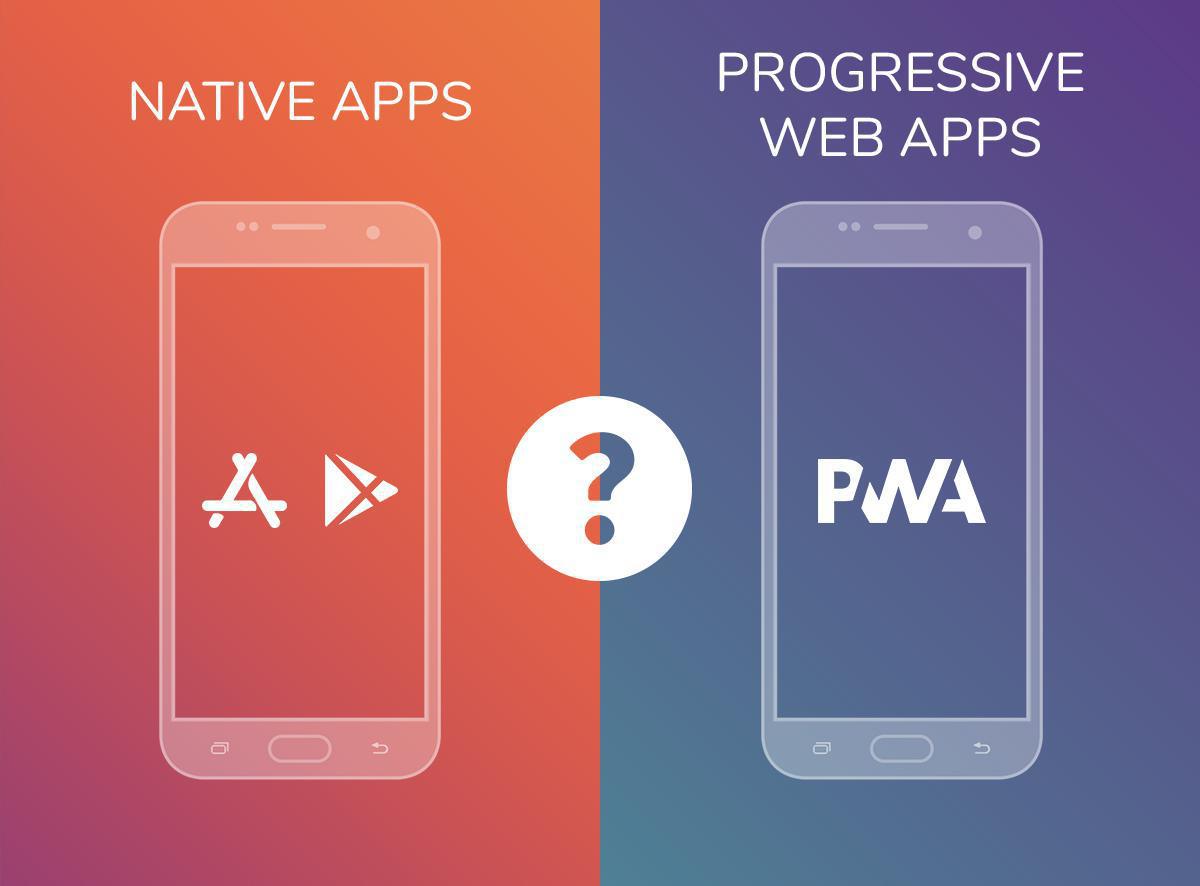
Native apps:
- A native mobile app is a software application developed to run on a specific type of device and operating system. Because it was designed to run on a given platform, a native app has the ability to use that device's hardware and software resources. Native apps allow for better performance
There are mainly two types of mobile operating systems: Apple's iOS and Google's Android. - Native technologies have always been at the forefront of mobile development. This is due to the fact that this method offers reliable and high performance products that can access a wide variety of native APIs and features available on smartphones or tablets. To make an app with native coding means that you will be creating independent outputs for each specific operating system, which will help deliver a refined interface for different devices.
Pros: Full access to device hardware (Bluetooth, geofencing, advanced biometric authentication, native push notifications); available directly in the Apple App Store and Google Play Store.
Cons: Requires explicit approval from app marketplace review teams; mandatory app binary updates.
Progressive Web Apps (PWAs):
- A Progressive Web App (PWA) is an app that uses web features to give users a very similar experience to a native app. Unlike native apps, PWAs are a hybrid of regular web pages and mobile apps. The term "progressive" refers to the fact that they introduce new features and are initially perceived as traditional websites by users but, progressively, behave more and more like cross-platform mobile apps
- PWA is the perfect combination of web and native technologies. While they have the look and feel of a native app ( for example they can be installed on the Home Screen of the user’s device ), you don’t need to go through the Stores publication process.
- PWA doesn’t require download and adapt to mobile, tablets, and desktop.
- Benefit from SEO and are indexed on search engines
- Thanks to Service Workers PWAs also works offline
Pros: Bypasses Apple and Google app store review cycles; instantly discoverable via search engine optimization (SEO); updates deploy instantly without user intervention.
Cons: No native app marketplace presence; limited background processing; restricted access to specific device sensors.
Step 3 — Select a no-code platform
In short: match the platform to your app type — GoodBarber and Adalo for native mobile, Bubble for complex web apps, Glide for spreadsheet-based tools, FlutterFlow if you want to export code later.
Test 2–3 platforms with their free trials (most offer a 14-day trial or a free starter plan) before committing. See the full comparison table below.
Similar in concept to websites builders such as WordPress , a No-Code app builder is a software tool that allows users to create an app without coding and distribute it through different App Stores.
Most app makers provide a visual drag and drop editor in their UI allowing users to preview their app as they build it, in real time.
This is the ideal option to save time and money while achieving a quality app.
Instead of writing Swift or Kotlin, you assemble screens, content, and features with a drag-and-drop interface, see the result in a live preview, and let the platform generate and publish the app for you. It's the same idea as a website builder like WordPress or Squarespace, applied to mobile apps. This approach is often called visual development, and it's what has turned non-technical founders, marketers, and small-business owners into citizen developers — people who build working software without an engineering background.
What a good no-code app builder gives you:
- A visual, drag-and-drop editor with a real-time preview on a phone frame.
- Ready-made templates and design systems so the app looks professional from the start.
- Visual data and content management — add products, articles, or listings without touching a database.
- Built-in features and integrations — push notifications, e-commerce, memberships, chat, analytics, payment gateways — switched on in one click.
- One-click publishing to the App Store, Google Play, and the web.
Why people choose no-code:
- Speed — launch a working app or no-code MVP in days, ideal for rapid prototyping and validating an idea before investing further.
- Cost — a predictable monthly subscription instead of a five- or six-figure development budget.
- Accessibility — no developer to hire, no code to maintain.
- All-inclusive — hosting, database, and updates are bundled, so you don't assemble (and pay for) a separate stack.
Step 4 — Build your app using the drag-and-drop visual editor (No-Code)
In short: start from a template, then assemble the app visually — design, content, features — and preview it live as you go.
- Start from a template. Most platforms ship 20+ templates — pick the closest to your idea and customize, rather than starting from a blank canvas.
- Design. Set theme, header style, navigation mode, app icon, and splash screen; match your brand's logo, colors, and fonts. Strong builders enforce good design automatically — GoodBarber, for example, was the first app builder to formalize a full design system, so spacing, type scale, and contrast stay consistent across phones, tablets, and desktop.
- Connect your content and data. Add content through visual forms, or connect external sources (RSS, live streams, social feeds, a product catalog). No database queries — you manage everything visually.
- Add features & integrations. Switch on what your app needs from an extension catalog — payments (Stripe, PayPal), push notifications, analytics, loyalty, chat, communities. GoodBarber offers 190+ one-click extensions, so you don't stitch together separate services or write glue code.
- Preview & iterate. Watch every change render live on a phone frame and adjust until it's right — the core of rapid prototyping.
Time estimate: 3–7 days for a simple app, 2–4 weeks for a medium-complexity app, 1–3 months for a complex one.
A technical point that affects store quality: some no-code builders ship WebView wrappers (a website inside an app shell), while others compile genuine native binaries. GoodBarber outputs real Swift (iOS) and Kotlin (Android) code, which is why its no-code apps behave like hand-coded ones in the stores.
Step 5 — Test on real iOS and Android devices
In short: test on actual phones — both platforms — covering features, screen sizes, and real-world conditions before you submit.
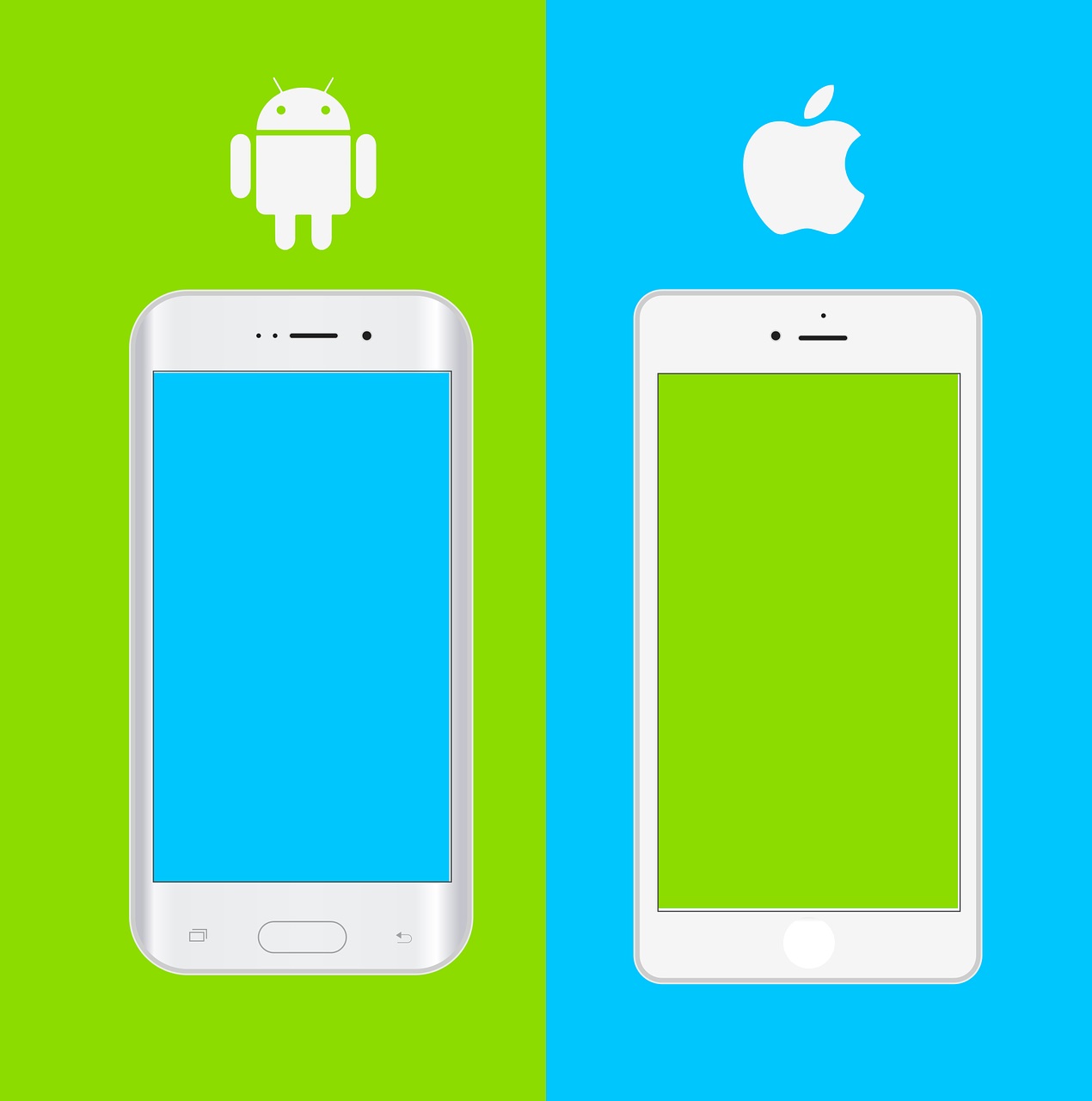
- Test on iOS and Android — never just one; use a real iPhone and a real Android device.
- Check every feature — payments, push notifications, navigation, and data loading.
- Test multiple screen sizes — small phones, large phones, tablets.
- Get user feedback — share with 5–10 potential users and collect honest reactions.
- Fix bugs — broken buttons, slow loading, data errors — before launch.
Recruit beta testers for fresh eyes, build an AdHoc version to replicate the real store build, and on iOS use Apple's TestFlight for pre-release distribution.
Oftentimes, No-Code app builders, such as GoodBarber, provides a test app you can use to run preliminary checks on your app. The most optimal way to test your app, however, is through its AdHoc version, which is the actual file of the app that will be submitted to the stores that you can download onto and run on your device—it’s the exact replica of what your users will see and every aspect of the app can be tested using this method.
For native iOS apps, there is a specific tool provided by Apple: TestFlight. It allowstesting your app before it goes online on the App Store. This alternative is particularly interesting if My GoodBarber solutions or the Ad Hoc version do not meet your needs for previews.
Step 6 — Publish to the app stores
In short: you need an Apple Developer account ($99/year) and a Google Play account ($25 one-time); Apple reviews every app and rejects many on the first try.
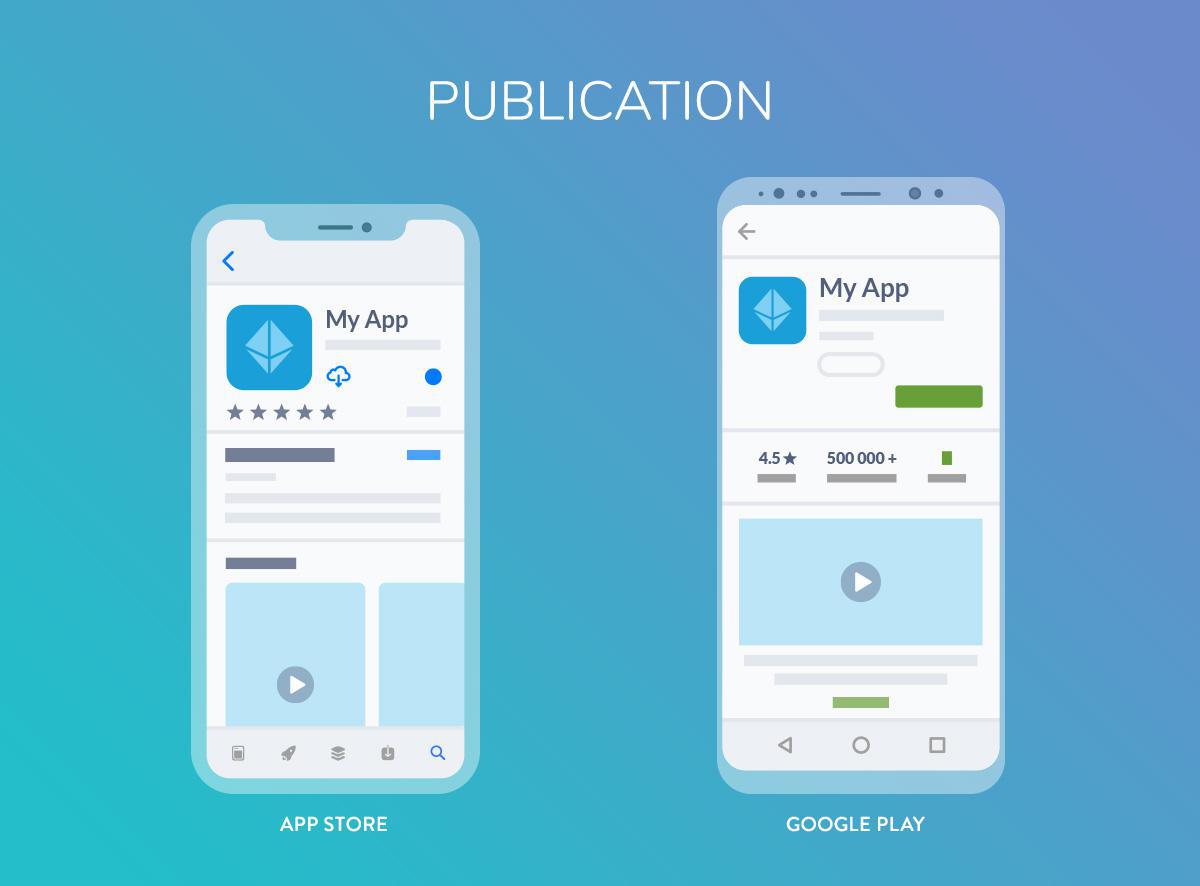
| Store | Account cost | Review time | Requirements |
|---|---|---|---|
| Apple App Store | $99 / year | ~2–7 days | Description, screenshots, privacy policy |
| Google Play | $25 one-time | ~1–3 days | Similar to Apple |
| PWA | None | Instant | Web hosting + domain |
Expect friction on iOS: Apple rejects roughly 42% of apps on first submission, even from experienced teams. This is why managed publishing services exist: GoodBarber's "Takes Care" team, for instance, handles submission for you and recovers about 91% of first-submission rejections. A PWA skips all of this: it only needs web hosting and a domain (GoodBarber includes the hosting).
App Store Optimization (ASO) — how people find you once you're live:
- Put your main keywords in the app title and description.
- Create professional screenshots that show key features.
- Write a benefit-driven description, not a feature dump.
- Get early users to leave positive reviews.
Tip: don't launch every feature at once. Hold some back for your first updates — a steady release cadence keeps users engaged.
Step 7 — Update and iterate
In short: ship updates 3–4 times a year, watch your analytics, and act on user feedback.
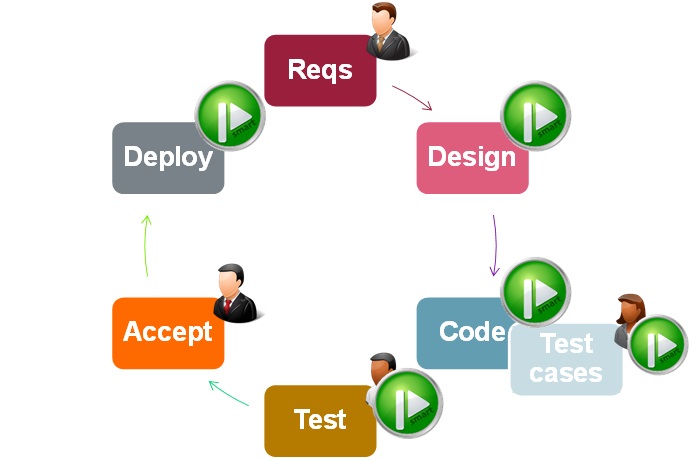
An app is a product, not a one-time launch. GoodBarber's team recommends 3 to 4 updates per year for new features, bug fixes, and OS compatibility. Track engagement, retention, and drop-off in App Store Connect, Google Play Console, and your builder's analytics; collect feedback via in-app surveys and reviews; and promote the app through social media, content, and partnerships. (PWAs update instantly, with no resubmission — one of no-code's quiet advantages.)
No-code app builder comparison (2026)
Different no-code platforms are built for different jobs. Here's a fair, factual comparison of the major players so you can match the tool to your project.
| Platform | Best for | Indicative price/mo* | Learning curve | Key strength |
|---|---|---|---|---|
| GoodBarber | E-commerce & content apps, communities, events | from €36 (Content) / €50 (eCommerce) | Easy | Native iOS + Android and PWA from one project; 0% e-commerce commission |
| Bubble | Complex web apps, marketplaces, SaaS | ~$25–$475 | Medium | Visual database + custom logic |
| Adalo | Simple mobile apps, MVPs | ~$36–$200 | Easy | Drag-and-drop, mobile-focused |
| FlutterFlow | High-performance apps, future code ownership | ~$30–$70 | Medium–Hard | Exports clean Flutter code |
| Glide | Data-driven apps, internal tools | ~$25–$140 | Very Easy | Builds from Google Sheets / Excel |
| Thunkable | Educational & IoT apps | ~$20–$150 | Easy | Cross-platform + Bluetooth/IoT |
*Indicative 2026 entry-to-upper pricing; varies by plan, features, and currency. GoodBarber shown in EUR (its list currency); competitor figures are commonly listed USD ranges — always check the vendor's current rates.
When to choose each platform:
- GoodBarber — native mobile apps with e-commerce, push notifications, and monetization (iOS + Android + PWA in one platform).
- Bubble — a complex web app with custom databases and user authentication.
- Adalo — a quick mobile MVP with minimal technical requirements.
- FlutterFlow — you need high performance and want to export code later for custom development.
- Glide — internal tools or data apps built on existing spreadsheets.
- Thunkable — educational apps or apps that interact with IoT/Bluetooth devices.
No-code vs. traditional coding: an honest comparison
| Factor | No-code | Traditional coding |
|---|---|---|
| Time to launch | Days–weeks | 6–12+ months |
| Cost | $25–$500/mo | $50,000–$500,000+ |
| Customization | Template-based, within platform limits | Unlimited |
| Scalability | Platform-dependent | Full control |
| Maintenance | Platform handles updates | You manage everything |
| Vendor lock-in | Yes (platform-dependent) | No |
| Learning curve | Days–weeks | 1–5+ years |
| Team needed | 1 person (non-technical) | Developers, designers, QA |
No-code limitations to know (so you choose with eyes open):
- Customization is capped by what the platform supports.
- Subscription costs accumulate over time versus a one-time build.
- There's some platform risk (pricing changes, or, rarely, a shutdown) — favor established platforms.
- Complex features may need workarounds or external API integrations.
- Performance may not match hand-optimized native code for extremely complex apps.
This is exactly why many founders start with a no-code MVP, validate demand, and only invest in custom development once the concept is proven — and why some pick a builder like FlutterFlow that can export code, or GoodBarber, which delivers compiled native apps rather than a WebView.
When should you choose no-code (and when not to)?
Choose no-code when:
- You're a non-developer or small team without engineering resources.
- You need to launch fast — a campaign app, event app, store, or content app.
- You're validating an idea and want a no-code MVP in front of real users this week.
- Your budget is limited and predictable monthly cost matters.
Consider custom development when:
- Your app depends on complex, proprietary business logic no visual tool models well.
- You're building a 3D game or a large marketplace with intricate matching, dispatch, or pricing engines.
- You need low-level control over the code, or you must own the source outright.
How AI accelerates no-code app creation
AI now assists across the whole lifecycle: here's specifically what it does today, not hype.
| Old workflow | AI-assisted workflow | |
|---|---|---|
| Process | Build feature by feature | Generate, then refine |
| Decisions | All manual | AI-suggested, human-approved |
| Outcome | Static app | A product that evolves |
| Your role | Builder | Editor / orchestrator |
Concretely, AI can draft your app architecture from a description, generate content (article drafts, product descriptions, onboarding flows, push copy, plus neural translation for multilingual launches), and suggest UX layouts tuned to your category.
Apps are also becoming agent-operable. GoodBarber publishes an open-source Model Context Protocol (MCP) server and 30 ready-to-use Claude Skills, so assistants like Claude, Cursor, or ChatGPT can manage an app's products, orders, marketing, and stats by natural language, with the owner still setting the rules and reviewing the work. Think co-pilot, not autopilot.
To go further, we conducted a specific review of AI app builders to help you make your decision when you need a fully AI-based platform to build your apps.
6 common no-code mistakes (and how to avoid them)
Wrong platform for the job.
❌ Using Glide for complex e-commerce.
✅ Match platform strengths to your app type (see the table above).
Overcomplicating the MVP.
❌ Building 20 features before launch.
✅ Start with 3 core features, validate, then iterate.
Ignoring scalability.
❌ Designing with no thought for 10,000+ users.
✅ Check platform limits (database rows, API calls, storage) up front.
Neglecting ASO.
❌ Generic name, no screenshots, weak description.
✅ Research keywords, create professional screenshots, write benefit-driven copy.
Skipping real-device testing.
❌ Testing only in a simulator.
✅ Test on physical iOS and Android devices.
Underestimating ongoing costs.
❌ Budgeting only for the initial build.
✅ Factor in monthly subscriptions, add-ons, hosting, and API fees.
Your app-planning checklist
Before you build, you should be able to answer:
- What core problem does the app solve, and who is it for?
- Is there validated demand, and who are your competitors?
- What are the essential features (and what can wait for a v2)?
- Native, PWA, or both?
- Which build method fits your budget and timeline — no-code, DIY, or agency?
- How will you test, publish, and measure success?
- How will you monetize and maintain it?
Complete cost breakdown: building an app without coding
One-time / setup costs
| Item | Low end | High end | Notes |
|---|---|---|---|
| Domain name | $12 / year | $50 / year | .com, .app, etc. |
| Logo & branding | $0 (DIY) | ~$500 | Canva vs. a designer |
| App store accounts | $25 (Google, once) | $99/year (Apple) | Mandatory for native |
| Photos / assets | $0 (stock) | ~$300 | Free libraries vs. a photographer |
Ongoing monthly costs
- No-code builder: ~$25–$500/mo depending on tier and product line (GoodBarber Content from €36/mo, eCommerce from €50/mo).
- Add-ons (push volume, extra storage, premium extensions): $0–$150/mo.
- External API services (e.g. Stripe fees, third-party tools): $0–$500/mo depending on usage.
First-year all-in estimate
| Path | Typical first-year total |
|---|---|
| DIY no-code MVP | ~$500–$2,000 |
| Professional no-code app | ~$2,000–$10,000 |
| Traditional coded app | $50,000–$500,000+ |
Monetization options: in-app advertising, in-app purchases, subscriptions, paid downloads, and — for commerce apps — selling products directly. Note that GoodBarber charges 0% commission on e-commerce transactions, unlike marketplaces that take a per-sale cut.
Prefer to code it yourself? The DIY route in brief
Coding your own app gives maximum control but is the hardest, slowest path — realistically 6–12+ months and a real engineering skill set. If you go this way:
- iOS (iPhone): learn Swift (modern, recommended) — you'll need Apple's Xcode, which runs on macOS only, plus the $99/year developer account.
- Android: learn Kotlin (Google's preferred language, in Android Studio) or Java.
- PWA: standard web languages (JavaScript and a framework) plus Service Workers — lighter and easy to update, but with limited hardware access.
For most people building a content or commerce app, the time and cost of DIY coding is exactly why no-code exists.
Frequently Asked Questions
Yes. Modern no-code builders compile your visual design into genuine iOS, Android, and web apps — with native performance, push notifications, and monetization. Millions of live apps are built and maintained this way. The main limits are very complex custom logic and 3D games, which still need traditional development.
It depends on the job. For native mobile apps and mobile commerce, GoodBarber (compiled native + PWA, built-in store) and Adalo. For flexible data-driven web apps, Bubble. For internal tools from a spreadsheet, Glide. If you want to export code later, FlutterFlow.
About $500–$10,000 for the first year, depending on platform, features, and design. Monthly builder costs run $25–$500, plus store fees ($99/year Apple, $25 one-time Google). That's roughly one-tenth the total cost of custom development.
A simple app takes 3–7 days, a medium app 2–4 weeks, a complex app 1–3 months — versus 6–12+ months for traditional coding.
It's already mainstream. Gartner expects low-code/no-code to be involved in about 75% of new application development by 2026, with most users now outside IT. It won't replace custom engineering for the most complex products, but for the majority of apps it's the default starting point.
Yes — through in-app purchases, subscriptions, ads, a freemium model, or e-commerce. GoodBarber and most major platforms support all of these.
Yes, with caveats. Established platforms handle tens of thousands of users comfortably. For very large scale you may need an enterprise plan, optimized data, caching/CDN, and eventually custom code for specific bottleneck features.
It depends on the platform. FlutterFlow exports clean Flutter code. Most hosted platforms (Bubble, Adalo, Glide) do not. GoodBarber doesn't export source either — instead it delivers compiled native iOS and Android binaries, so you ship real native apps without managing a codebase.
Mostly easy. Expect to learn the basics in 1–7 days and reach confidence in 2–4 weeks, helped by drag-and-drop editors, templates, tutorials, and community forums.
A minimum viable product built with a no-code tool — the smallest version of your app that delivers the core value, launched fast and cheaply to test demand before investing further.
To code an iOS app, yes — Xcode runs only on macOS. With a cloud-based no-code builder, no: the platform handles compilation, so you can build and publish from any computer.
3D games and large custom multi-sided marketplaces (Uber- or Airbnb-scale logic) usually need custom development. No-code shines for content, media, commerce, loyalty, community, and service apps.
Sources & further reading
- Gartner — Forecast Analysis: Low-Code Development Technologies, Worldwide (gartner.com)
- Gartner forecast: low-code to reach $44.5B by 2026 — InfoWorld summary (infoworld.com)
- Low-Code/No-Code platform market to $187B by 2030 (globenewswire.com)
- Low-Code Application Development Platform Market Report, 2030 — Grand View Research (grandviewresearch.com)
Conclusions
Learning how to make an app without coding is now accessible to anyone. With modern no-code platforms like GoodBarber, you can move from idea to published mobile app without technical barriers.
The key is not coding—it’s clarity of idea, good design, and consistent iteration.
Remember why your mobile app really matters: it can help increase your brand awareness and grow your business overall.
These are the main goals that should guide you in choosing the no-code platform best suited to your needs and inspire you throughout the steps of creating your application.
Related Articles
- How to create an app for content creators
- How to create an app for online courses
- How to create an app for a Radio station
- How to create an app to communicate with your employees
- How to create an app for Newspapers
- How to create a multi-language app ?
- How to create your own Local Delivery + Pickup app
- 7 Good reasons to create an app with GoodBarber
- Creating a mobile app for the first time - our advice
- How to publish your app on Google Play and the App Store
- How to choose the perfect name for your app
- How to customize the design of your app
- How much does it cost to build an app without coding?